Installation
Requirements
- Node.js >=20
- Windows, Linux or Mac OS X
- Docker Engine >=17
Install Node.js
Linux and macOS
Node Package Manager (npm) recommends installing Node.js with Node Version Manager (nvm) to avoid permission errors when installing globally.
- Use
curlorwgetto installnvm:
curl -o- https://raw.githubusercontent.com/nvm-sh/nvm/v0.40.2/install.sh | bashwget -qO- https://raw.githubusercontent.com/nvm-sh/nvm/v0.40.2/install.sh | bash- Make sure nvm is properly installed. You may need to reload the terminal for the command to take effect.
nvm --version- Use nvm to install a compatible version of Node.js. For example, to install Node.js v20, run
nvm install 20- Run
node --versionto confirm that Node.js has been properly installed.
Windows
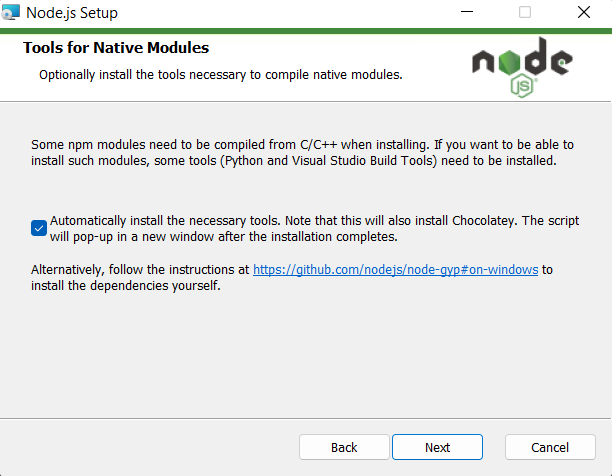
TronBox recommends using the installer from the website of Node.js.
Make sure that you agree to automatically install the necessary tools during installation so that the required Visual Studio build tools, Python, and Chocolately package manager can be installed.
Install TronBox
You can install TronBox by executing the following command:
npm install -g tronboxpnpm add -g tronboxyarn global add tronboxbun install -g tronboxYou may receive warnings during installation. Type tronbox version on the terminal to check whether TronBox has been properly installed.
tronbox versionFor Windows users
If you are running TronBox on Windows, you may encounter naming conflicts that may prevent TronBox from executing properly. In this case, please see Resolve naming conflicts on Windows for any helpful information.